Configuring and Syncing LDAP Users
LDAP configurations are specific to each organization, as LDAP users will be synchronized into them.
To modify the configuration, you need to use a global admin user. Enter the following information for LDAP user synchronization on the "organization" page.

Configuring Connection to LDAP Server
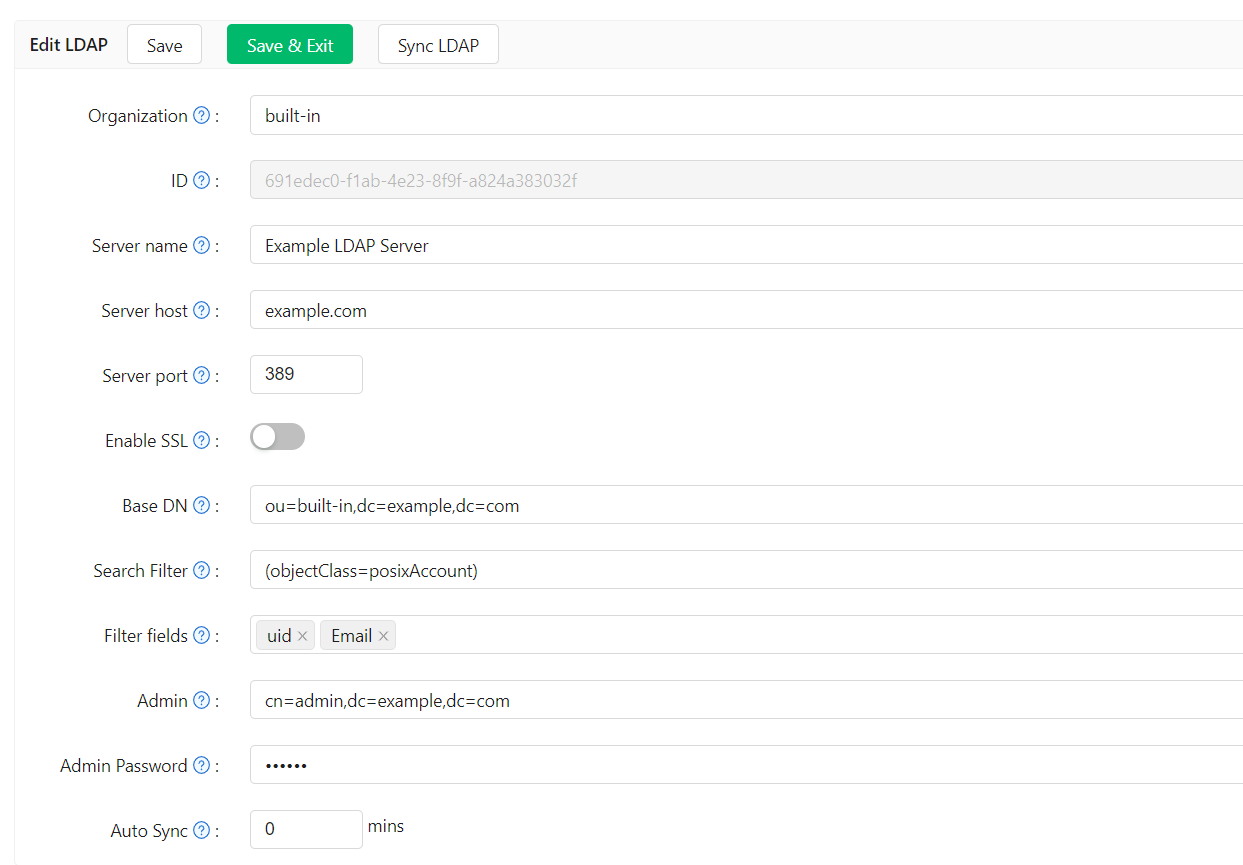
Server Name
A friendly name that managers can use to identify different servers.
Example:
Example LDAP Server
Server Host
The host or IP address of the LDAP server.
Example:
example.com
Server Port
The port number of the LDAP server. Only numeric values are allowed.
Example:
389
Base DN
Casdoor uses Sub search mode by default when searching in LDAP. The Base DN is the basic distinguished name used for the search. Casdoor will return all users under the specified Base DN.
The admin account configured in Casdoor should have at least read-only permissions at the Base DN.
Example:
ou=Example,dc=example,dc=com
Search Filter
Casdoor uses a search filter to query LDAP users.
Example:
(objectClass=posixAccount)
Filter Fields
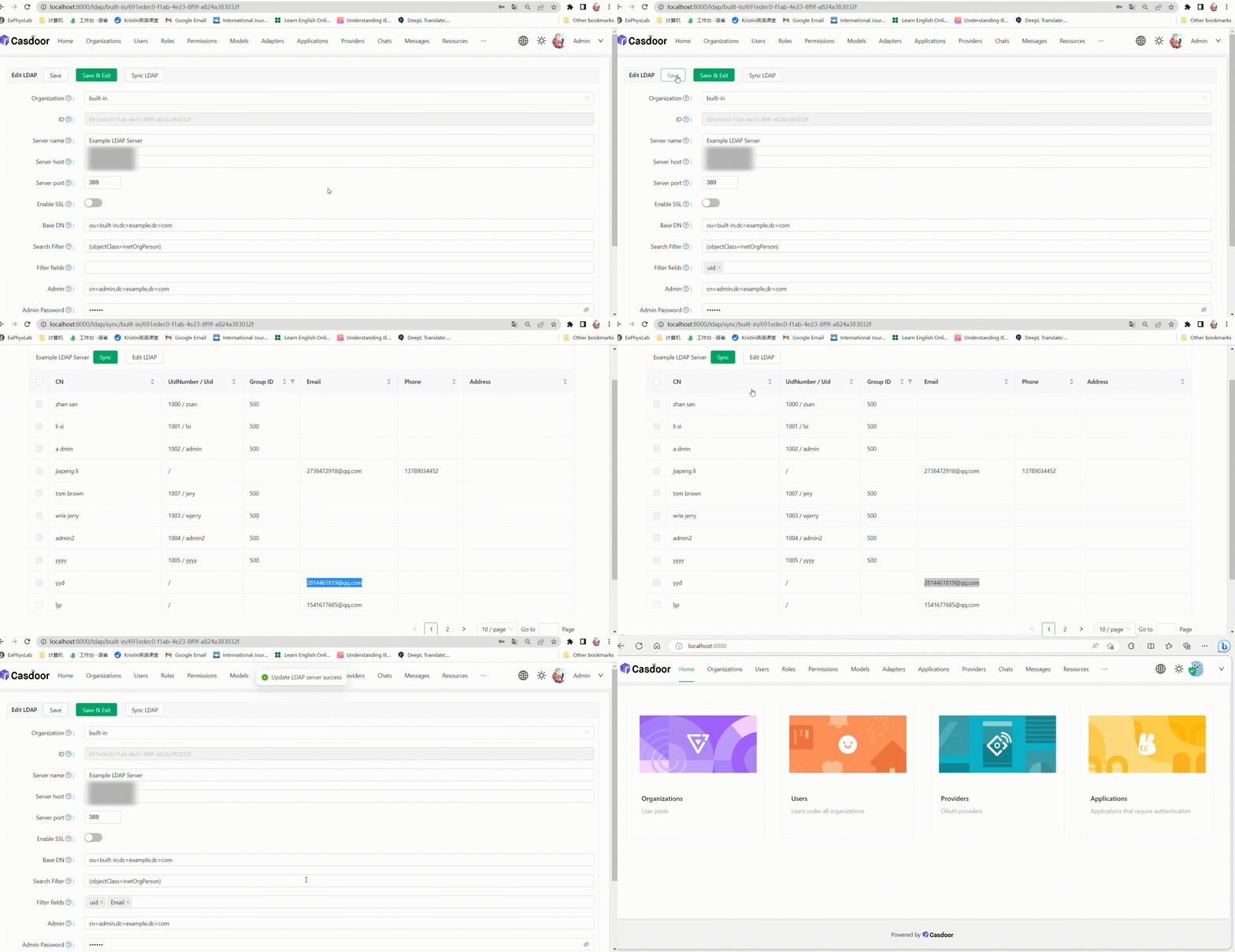
Filter fields are the identifiers of the user in the LDAP server. When logging in to Casdoor as an LDAP user, the entered login username is regarded as the uid of the LDAP user. You can also configure other fields, such as mail or mobile.
Admin
An account that can log in to the specified LDAP server.
The login method (DN or ID) depends on the LDAP server settings you want to connect to.
Example:
cn=manager,dc=example,dc=com
Admin Password
The password for the LDAP server Admin account.
Auto Sync
Set to 0 to disable auto sync. Any other value means Sync every few minutes.
Synchronizing Users
The sync table displays all the users obtained from the LDAP server within the specific ou. If the users have already been synced, the checkbox will be disabled. You can select the users by checking the box, and then sync the selected users from the LDAP server.
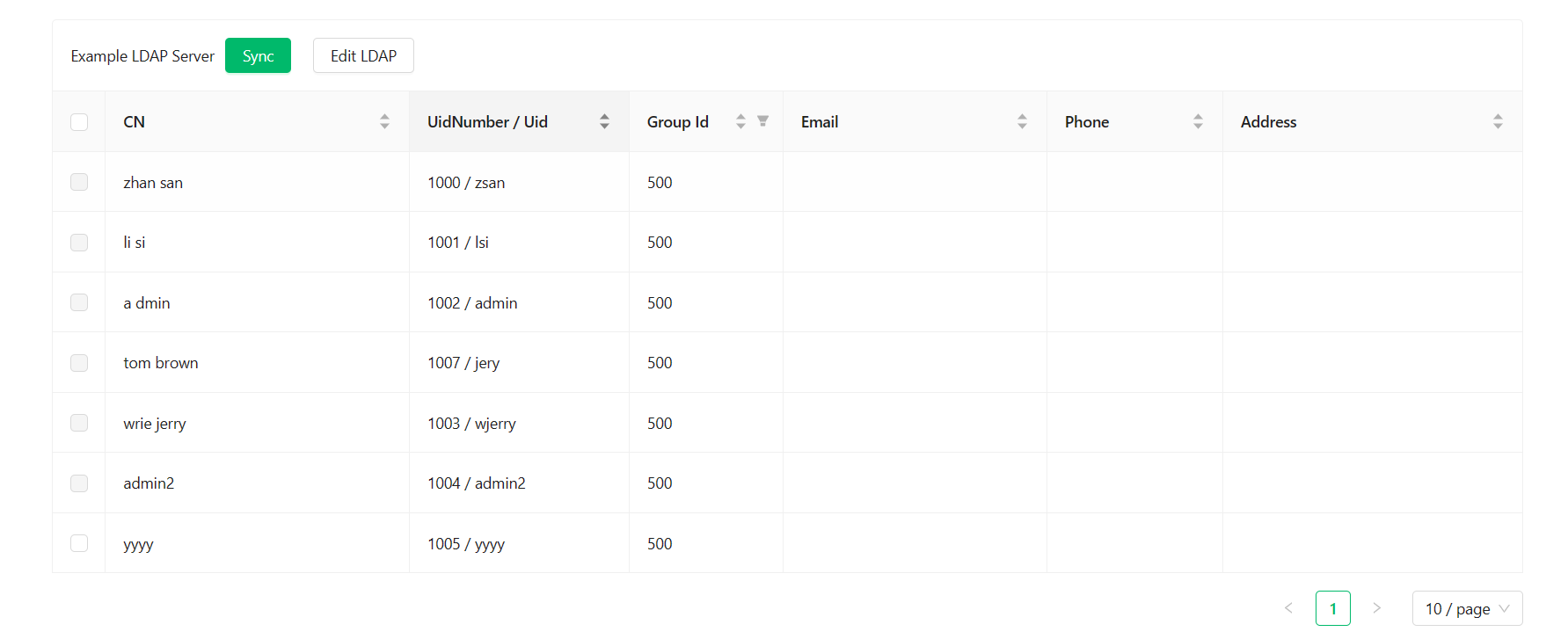
If the uid of a user in the LDAP server is the same as the name of an existing user in the Casdoor organization, Casdoor will create a new user with a name that includes the uid and a random string. However, this user may not be able to log in because the name of the newly synced user does not exist in the LDAP server. Therefore, it is recommended to avoid this situation.